SURGE workflows
Four things producers do with SURGE every session — build a transition, tune a sub drop to the track, audition fast, and keep exports organised.
Working the browser instead of the filename
The whole point of SURGE is that you never open a folder of samples. You start with intent — a rise, a fall, an impact in a key — and the browser narrows to it. These are the four passes that cover most sessions.
Build a transition into a drop
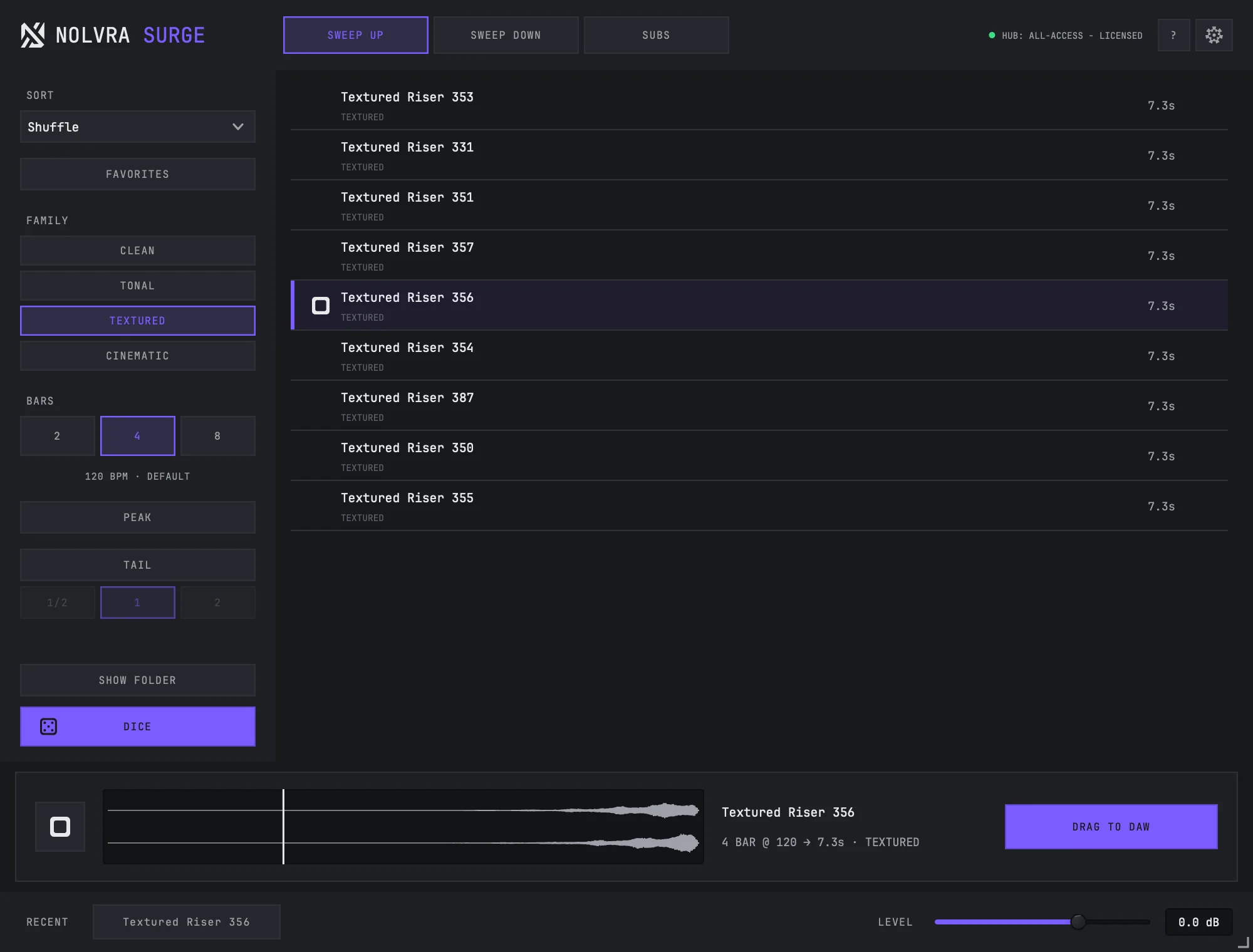
Start on SWEEP UP
Set BARS to the length of the gap you are filling. Two bars for a bar-and-a-half lift, eight for a full pre-chorus.
Narrow with FAMILY
Tick only the kinds of motion that fit the record. A clean tonal riser and a noise sweep are different jobs; FAMILY separates them without you naming files.
Audition on PEAK
Turn PEAK on and click through rows. You hear the last three seconds of each — the part that decides whether the transition lands — instead of three seconds of silence at the bottom of the sweep.
Decide the ending with TAIL
TAIL rings a riser's own ending on for half a bar, one bar or two instead of cutting it at the peak. Use it when the downbeat needs the sweep to bleed under it, skip it when the drop needs clean air.
Drag it in
Drag DRAG TO DAW onto the timeline at the bar the sweep should finish on.
Tune a sub drop to the track
Switch to SUBS
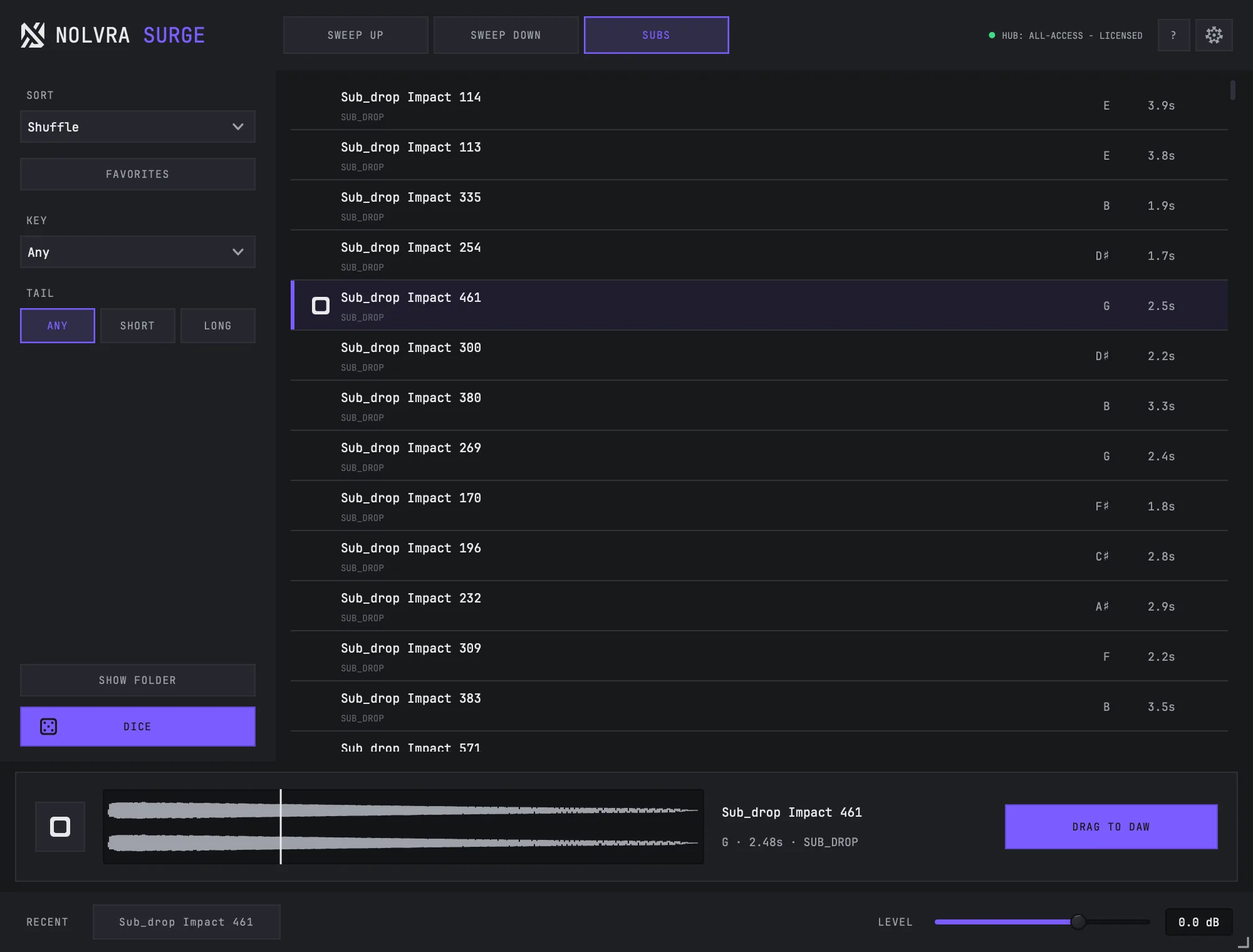
The SUBS shelf holds tuned sub drops rather than sweeps, so the filters change with it.
Set KEY
The KEY selector runs from Any through all twelve keys. Set it to the key of the record and the list only shows drops that sit under it.
Set the TAIL character
On SUBS, the TAIL chips are a filter, not a length: Any, short, or long. Short drops punch and get out of the way of a kick; long drops sustain under the bar. This is a different control from the sweep TAIL, which extends a riser's ending — same word, two shelves, two jobs.
Check it against the kick
Preview the drop while your track runs. A sub drop and an 808 fighting for the same 40–60 Hz window is the usual reason a drop feels smaller than it measured.
Audition fast when you do not know what you want
Leave the filters wide, turn PEAK on, and hit DICE. DICE picks a random row from whatever the filters left, so it is a genuinely random pull from the shelf rather than a shuffle of the first screen. Star anything worth a second listen, then switch SORT to favourites-first and go back through the shortlist.
Where exports live
Every drag writes a real file to ~/Music/Nolvra/SURGE Exports — never a temp folder, and nothing is overwritten. SHOW FOLDER opens that exact directory, which matters when you are collecting a session's audio for a collaborator.
The exported name and its beat count quote the settings the render used, so a file pulled out at 4 bars with a one-bar tail says so on disk. If you export the same sound at two lengths, the two files are distinguishable without opening them.
Still stuck?
Nothing here matching? Write to a person.