PLUNGE — KICK LINK and the loop deck
Drop a kick loop in, get a tuned and ducked 808 pattern out, and hear both together before anything reaches your timeline.
Why the kick comes first
An 808 that is a semitone away from the kick, or that sits on top of it instead of around it, is the single most common reason a low end sounds smaller than it measures. KICK LINK exists so that decision happens before you commit, not after the mix.
Linking a kick
Drop the loop in
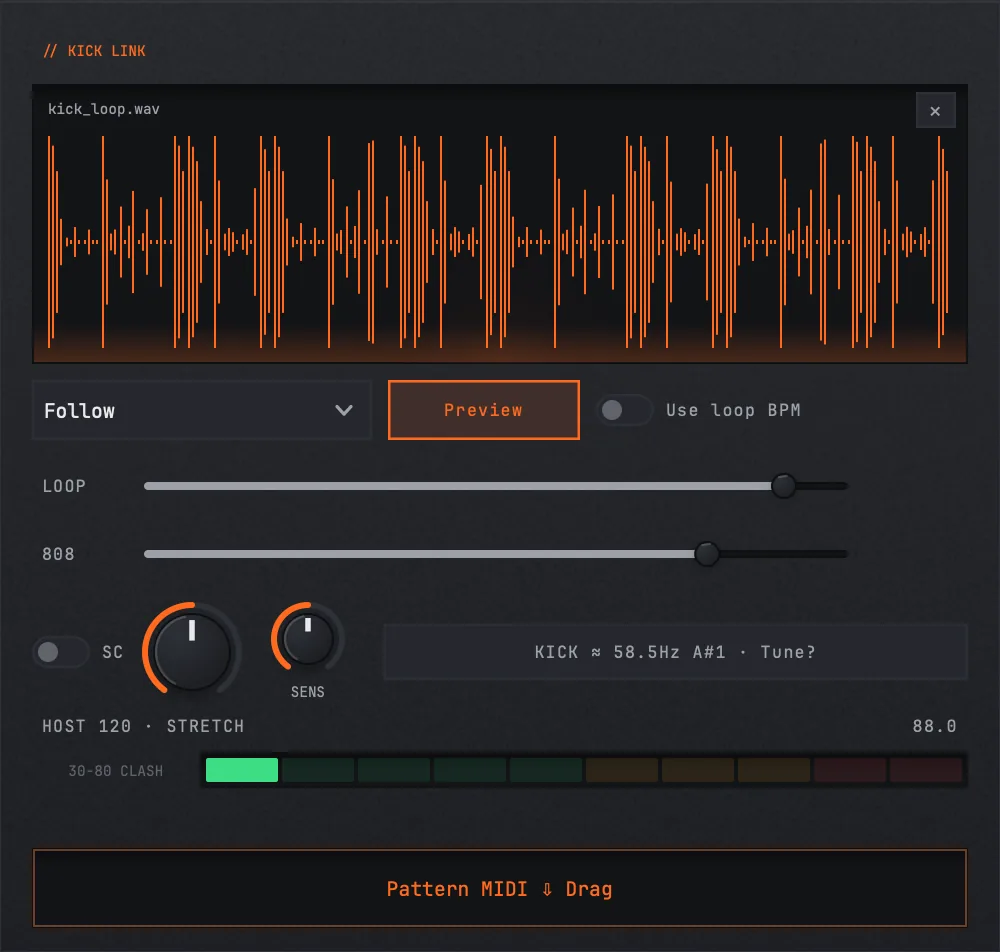
Drag a kick loop onto the KICK LINK panel. Both a drum loop as audio and a MIDI file work — with audio, PLUNGE finds the hits itself; with MIDI it reads the note onsets directly.
Let it find the tempo
The loop plays in sync with your host transport. If the loop's own tempo and the host's disagree, PLUNGE says so rather than silently stretching it — you will see both numbers, and playback still works.
Generate a pattern
PLUNGE builds an 808 pattern from the kick's hits. The dice walks variations inside the same idea rather than starting over, so you can roll until one fits without losing the feel.
Preview them together
Preview plays the loop and the 808 as a pair. That is the whole point of the deck: you are judging the pair, not the 808 in isolation.
Drag out what you want
The PATTERN MIDI chip gives you the notes to edit in your DAW; the WAV chip gives you the audio. Both land in ~/Music/Nolvra/PLUNGE Exports.

Loop deck controls
- Loop Volume−60 to +6 dB, default 0 (−60 mutes)
- Sidechainoff by default
- Duck Amount0–1, default 0.5
- Onset Sensitivity−1 to +1, default 0
Setting the balance
Loop Volume and the instrument's own Output are the two faders in the mini mixer. Both start at 0 dB. The balance you set here is a monitoring decision — it is how the pair sits in your ear while you audition, and it is worth getting roughly right before you judge the duck.

Sidechain and duck amount
With Sidechain on, the 808 ducks on every kick hit. Duck Amount is how deep. Start around the default and push it until the kick reads clearly through the 808 without the bass audibly pumping — the point where you start hearing the duck itself is usually one step past where it should be.
With Sidechain off you hear the raw pair, which is the honest reference for whether the two are fighting at all.
Onset sensitivity
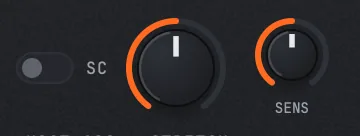
Onset Sensitivity is only in play when the source is audio. It moves the threshold that decides what counts as a kick hit. At the default the detector uses its own threshold; push it up when a soft or filtered kick is being missed, pull it down when hi-hats or a busy loop are triggering hits that are not there.
With a MIDI loop this control has nothing to do — the note onsets are exact.
Tuning to the kick
PLUNGE reads the fundamental of the kick in the loop and can retune the 808's key to match it. Matching is not always the right answer musically — a kick a fifth below the bass is a legitimate choice — but knowing the number means the decision is yours rather than an accident.
The global Key section is where that lands: a root note, a display octave, and an optional scale lock with minor, major or harmonic minor. Scale lock is off by default; turn it on when you want a generated pattern to stay inside the key.

Still stuck?
Nothing here matching? Write to a person.