RIDGE quickstart
Install it, put it on the track, press SCAN, and let APPLY write the bands. The first useful move in RIDGE is a button rather than a sweep.
What RIDGE is
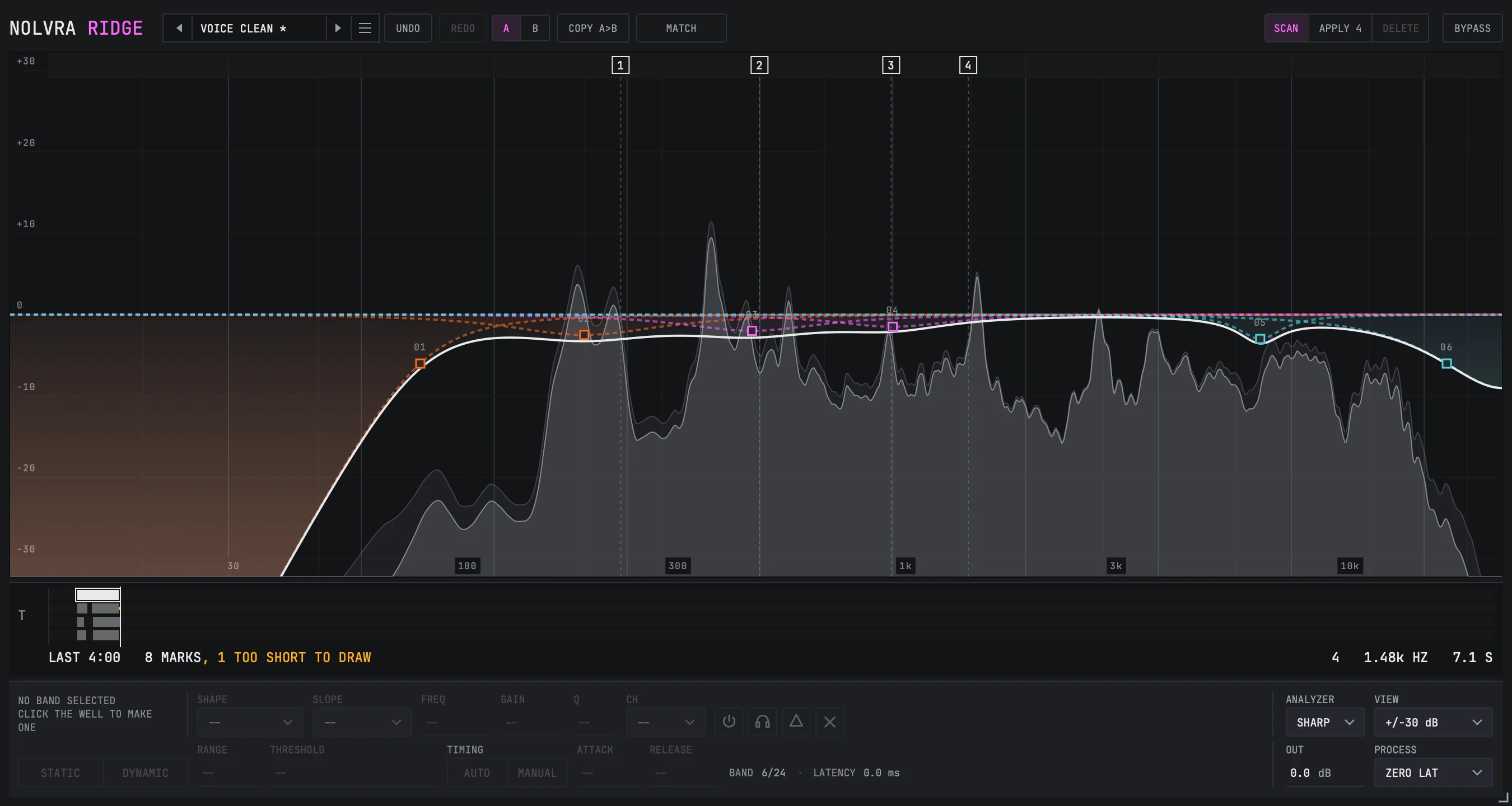
RIDGE is a 24 band equalizer with a full dynamics section on every band and a scan that finds resonances for you. It runs as AU, VST3 or a standalone app on macOS 11 or later, Apple Silicon, and as VST3 on Windows, sitting on the track like any other EQ. The thing that makes the first five minutes different from every other EQ is SCAN: instead of sweeping a narrow bell around until something screams, you press a button, let it listen, and read the marks it leaves.
Your first pass
Install it, then open either door
The Nolvra Hub installs RIDGE and keeps it updated. Two things unlock it and either one is enough on its own: a RIDGE licence key, which reads RIDGE-XXXX-XXXX-XXXX and goes into the plugin's activation screen, or an active All-Access membership on the account you are signed into in the Hub. A key owner never has to sign in and a member never has to type a key. One licence covers two machines. Rescan plugins in your DAW afterwards if RIDGE does not appear on its own.
Put it on the track
It is an audio effect. Insert it on the track or the bus you want to work on and play the part. The analyzer draws what it hears straight away, and nothing else needs setting first.
Press SCAN
SCAN sits at the right hand end of the top strip, next to BYPASS. Turn it on and let the part play. It needs a few seconds of material before it will say anything at all, and it says how many frames it still owes rather than sitting there silently.
Read the marks, then APPLY
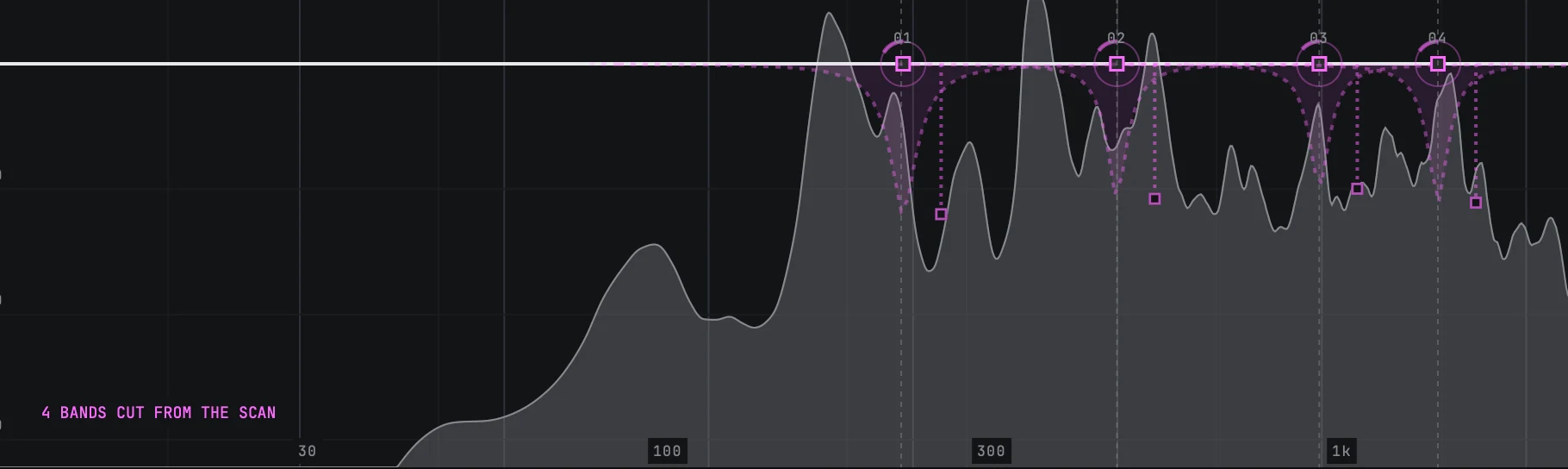
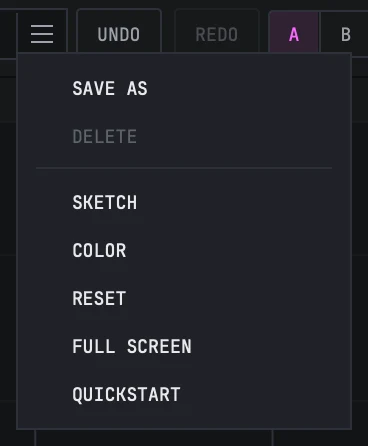
Each mark is a frequency the scan is confident about. APPLY writes a band for every mark that is standing, up to eight of them, and the strip tells you how many it took. One undo takes the whole thing back, and DELETE removes the bands the scan made without touching the ones you made yourself.
Work the bands by hand from there
The scan gives you a starting set, not a finished EQ. Every band it wrote is an ordinary RIDGE band: move it, change its shape, change its slope, put it on mid or side, or turn its dynamics off. Nothing about a scan band is locked.


What is on the top strip
Left to right: the wordmark, the preset group, UNDO and REDO, the A and B slots with the copy button between them, MATCH, and then BYPASS pinned at the right with the SCAN group beside it.
A and B are two whole settings you can flip between. COPY A>B writes what you have onto the other slot, so the usual way to try an alternative is to copy across first and then change one thing. MATCH is explained in the SCAN and MATCH article; the short version is that it reads how much level your moves added or removed so a comparison is not decided by loudness.


The three things worth knowing on day one
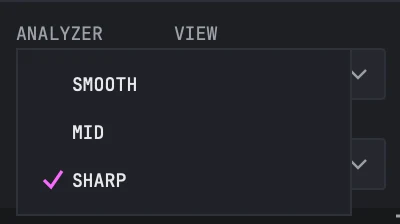
The analyzer has a smoothing control, which is unusual in this class. SMOOTH, MID and SHARP set how wide a window the drawing is averaged over, and it opens on SHARP because that is the setting that can still resolve individual harmonics at low frequencies. On a busy mix, MID is one press away.
The dynamics threshold is a level rather than a running average of what the band was just doing, which is why a band that ducks a loud passage keeps ducking it for as long as the passage lasts. That has its own article.
Every parameter is published and the list is locked at 453 from the first release, so automation you write today reads the same in every version that follows.
Things people look for on the first day
- SCAN and APPLY are two separate presses. The scan can run and mark things without writing a single band.
- The scan needs a few seconds of material. It is watching a five second window, and it will not report anything before it has one.
- APPLY is one undo, not eight, however many bands it wrote.
- DELETE only removes bands the scan made. A band you dragged more than a semitone away from its mark is yours now, and DELETE leaves it alone.
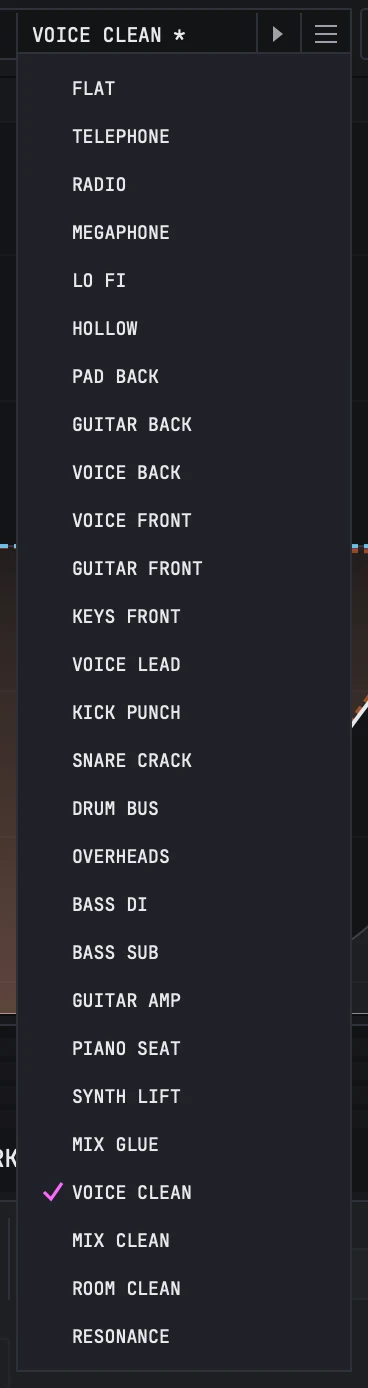
- Twenty-seven factory presets ship with it, sorted by the job they do rather than by filter type, and FLAT is the first of them. The preset bar on the top strip carries previous, next, the name and a list, and the list holds the factory set, anything you have saved, and SAVE AS at the end.
- PROCESS lists three modes and this release runs one. Choosing NATURAL PHASE or LINEAR PHASE leaves the audio on zero latency and says so rather than pretending: the bar prints MODE FELL BACK, spelled out as ZERO LATENCY (FELL BACK) where there is room for the sentence. Latency is on the bar in milliseconds either way, including when it is zero.

What ships in the first release
- ItemRIDGE 0.24.3
- Bands24, dynamics on every one
- Shapes6: bell, low shelf, high shelf, low cut, high cut, notch
- Slopes10 rungs, 6 to 96 dB per octave plus a 192 dB per octave brickwall
- Placement5: stereo, mid, side, left, right
- Processingzero latency in this release; the other two modes are listed and fall back, on screen
- Presets27 factory, sorted by job, plus your own
- Scanup to 8 resonances per take
- FormatsAU, VST3 and a standalone app on macOS, VST3 on Windows, 64-bit
- Activationa RIDGE licence key or All-Access, 2 machines
Still stuck?
Nothing here matching? Write to a person.