Installing and activating Nolvra PULSE
Install PULSE and PULSE BRIDGE on Mac or Windows, unlock PULSE with a Hub sign-in or a license key, find it in your DAW, and the questions people ask first.
What you need
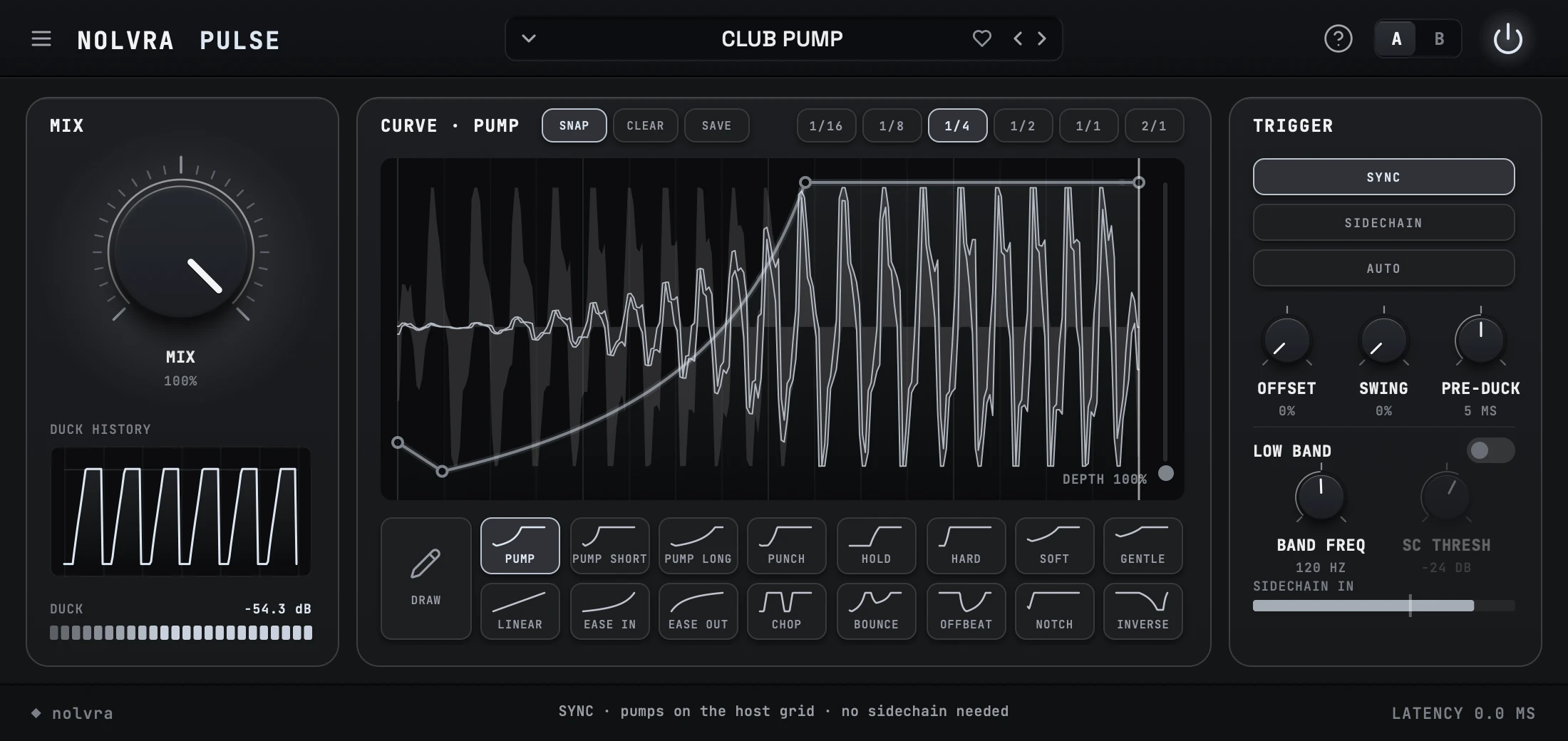
Nolvra PULSE is a sidechain you can draw: it pulls a track down when the kick hits and lets it breathe back between the beats. It runs as VST3 and Audio Unit on macOS 12 or later, natively on Apple Silicon Macs, and as a 64-bit VST3 on Windows. Signing in to Nolvra Hub with All-Access, or a PULSE license key, is required to use the plug-in.
PULSE comes with a second plug-in, PULSE BRIDGE. It is free, it installs with PULSE in the same formats, and it goes on the kick so that every PULSE in the session can follow it without sidechain routing.
Installing on a Mac
Install from the Hub
Sign in to Nolvra Hub and install PULSE from the product list; the Hub installs it and keeps it updated. The package puts PULSE and PULSE BRIDGE, each as a VST3 and an Audio Unit, into your own user folders, so it does not ask for an administrator password.
Rescan in your DAW
Your DAW caches its plugin list. Rescan plug-ins in your DAW to pick PULSE and PULSE BRIDGE up, or restart the host.
Where the Mac installer puts PULSE
- VST3~/Library/Audio/Plug-Ins/VST3/Nolvra PULSE.vst3
- Audio Unit~/Library/Audio/Plug-Ins/Components/Nolvra PULSE.component
- PULSE BRIDGE, VST3~/Library/Audio/Plug-Ins/VST3/Nolvra PULSE BRIDGE.vst3
- PULSE BRIDGE, Audio Unit~/Library/Audio/Plug-Ins/Components/Nolvra PULSE BRIDGE.component
- License texts~/Library/Application Support/Nolvra/PULSE/Licenses
Installing on Windows
Install from the Hub
Sign in to Nolvra Hub and install PULSE from the product list, the same way as on a Mac. Windows asks for administrator rights once, because the VST3 goes into the shared VST3 folder, for PULSE and PULSE BRIDGE alike.
Rescan in your DAW
Nolvra PULSE and Nolvra PULSE BRIDGE are installed. If your host is open, close it and rescan plug-ins.
Where the Windows setup puts PULSE
- VST3C:\Program Files\Common Files\VST3\Nolvra PULSE.vst3
- PULSE BRIDGE, VST3C:\Program Files\Common Files\VST3\Nolvra PULSE BRIDGE.vst3
- License textsC:\Program Files\Nolvra\PULSE
Activating PULSE
When PULSE opens without a license it shows the activation screen over its window. There are two ways in, and either one is enough on its own.
All-Access members need no key: PULSE is included in Nolvra All-Access, so press OPEN NOLVRA HUB and sign in with the account that holds the membership.
If you bought PULSE on its own, type your license key into the field under BOUGHT PULSE ON ITS OWN? and press ACTIVATE while you are online. You can find the key in Nolvra Hub under Licenses. The key looks like PULSE-XXXX-XXXX-XXXX and activates on two machines.
With a Hub sign-in, PULSE keeps working offline for 14 days; open Nolvra Hub once while you are online to renew it.
PULSE does not appear in my DAW
Rescan your plugins
Symptom: the installer finished and PULSE is nowhere in the browser. Cause: your DAW cached its plugin list before the install. Fix: rescan in your host's plugin manager, or restart the host.
Check your system version
Symptom: PULSE is missing on an older Mac. Cause: PULSE needs macOS 12 or later. Fix: update macOS.
Check which format your host wants
Symptom: the host lists other plug-ins but not PULSE. Cause: Logic and GarageBand load only Audio Units; on Windows only VST3 is installed. Fix: look for the format your host loads.
Audio Unit validation in Logic
Logic validates every Audio Unit before it shows it. If PULSE or PULSE BRIDGE is marked as failed, open Logic's Plug-in Manager, select it and choose Reset & Rescan Selection. To check them yourself in Terminal: auval -v aufx Plse Nlvr for PULSE and auval -v aufx Plsb Nlvr for PULSE BRIDGE.
Questions people ask
Do I need to route a sidechain?
No. In SYNC, PULSE pumps on the host grid with no sidechain needed. Use SIDECHAIN when a real kick should drive it, or AUTO to let PULSE find the kick.
How do I duck several tracks on one kick?
Put PULSE BRIDGE on the kick and pick a CHANNEL. PULSE BRIDGE comes with PULSE and does not change the kick. Every PULSE set to listen on the same channel ducks on that kick, with no sidechain routing.
Does it add latency?
Not in SYNC: latency is 0 ms. Presets that look ahead report their latency to the host.
Can I activate PULSE without Nolvra Hub?
Yes, with a PULSE license key: type it into the activation screen and press ACTIVATE. The Hub is still the easiest way to install PULSE and keep it updated, and it is where you find your key.
What to send us
If none of this works, write to support@nolvra.com with your operating system and its version, your host and its version, and a screenshot of the plugin manager entry. Do not send your license key.
Still stuck?
Nothing here matching? Write to a person.