PLUNGE: the FX chain and the preset library
The four-stage FX section in its fixed order, and how the preset library is organised between character anchors, factory sets and your own saves.
A fixed chain, off by default
PLUNGE's FX section is four stages in a fixed order: LOFI, then MOTION, then COMP, then CLIP. Every stage is off by default, so the voice you build is the voice you hear until you decide otherwise. The order is fixed on purpose: a clipper after a compressor is a mastering decision, a compressor after a clipper is a mistake.
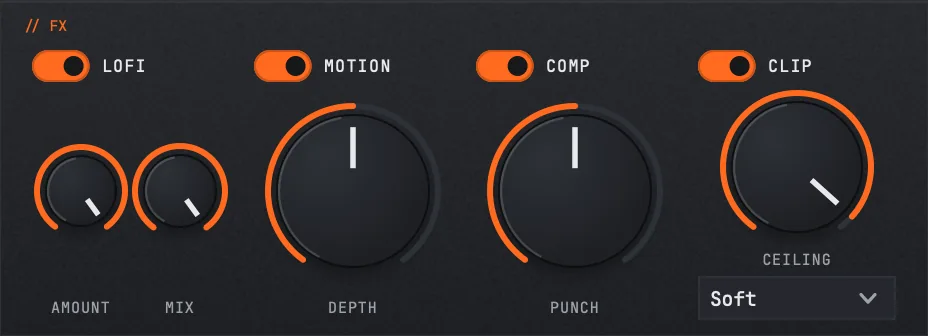
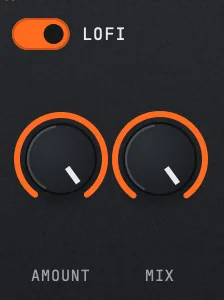
LOFI
- LoFioff by default
- LoFi Bits4 to 16, default 8
- LoFi Rate2 to 22 kHz, default 6000 Hz
- LoFi Mix0 to 1, default 1.0
Using LOFI
Bit depth and sample rate reduction. Bits controls quantisation grit; Rate controls the aliasing character, and because it runs before everything else, what it produces gets compressed and clipped by the stages after it. Mix lets you blend the degraded signal back against the clean one, which is how you get grit on the top without losing the sub.
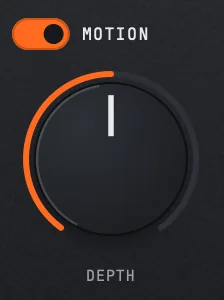
MOTION
- Motionoff by default
- Motion Depth0 to 1, default 0.5
- Motion Rate0.1 to 5 Hz, default 0.8 Hz
- Motion Mix0 to 1, default 0.5
Using MOTION
Slow modulation across the note. At low rates it is movement under a sustained 808; toward the top of the range it becomes an audible wobble. Depth sets how far it travels, Mix how much of the modulated signal you keep.
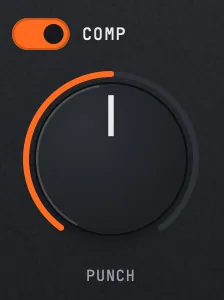
COMP
- Compoff by default
- Punch0 to 1, default 0.5
- Comp Attack1 to 50 ms, default 10
- Comp Release30 to 500 ms, default 150
Using COMP
Punch is the single amount control; Attack and Release shape what it does to transients. A slower attack lets the note's initial pitch drop through before the compressor grabs it, which keeps the punch; a fast attack flattens it and gives you sustain instead. Release around the default sits between note-to-note pumping and inaudible.
CLIP
- Clipoff by default
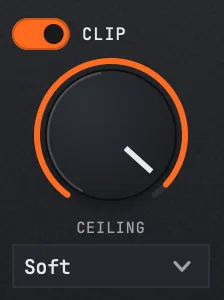
- Ceiling−12 to 0 dB, default −0.5
- Clip ModeSoft · Hard
Using CLIP
The last stage, and the one that decides your peak. Soft rounds into the ceiling; Hard stops flat at it and generates harmonics doing so. Ceiling is where the signal stops, and leaving it slightly under zero gives your DAW's converters headroom for the intersample peaks a hard clip creates.
How the preset library is organised
The library has three layers, and they never shift under each other:
Character anchors come first: a hand-tuned set that names the fundamental 808 characters the engine can produce, from clean and classic through phonk, drill, plugg, reese and the distorted end. These are the anchors the prompt bar resolves against.
The factory set follows, grouped by style: trap, rage and distorted, reese, hybrid, drill, a general set, hip hop, phonk, plugg and club. Trap and the rage/distorted group are the largest.
Your own saves land in a User category at the end, so factory numbering never moves and a session saved last year loads the same sound this year.
What a preset carries
Loading a factory preset applies its voice parameters and the FX chain that its character calls for. Loading one of your own applies the FX state you saved with it.
Restoring a session is a different path: your project reloads its own saved state untouched, so an old project always sounds the way you left it. New preset loads are the only thing that reaches for the FX defaults.
Still stuck?
Nothing here matching? Write to a person.