PLUME quickstart
Two families, six reverb modes, a Freeze and a window that draws the tail itself. The first useful moves are MIX and DECAY, then the mode.
What PLUME is
PLUME is a reverb with two families of modes. CLASSIC holds PLATE, SILK and CHAMBER, each in one of three eras, WARM, CRISP or CLEAN. SPACE holds STONE, MIST and VOID. A FREEZE holds the tail while you play over it. It runs as VST3 and Audio Unit on macOS 11 or later, natively on Apple Silicon Macs, and as a 64-bit VST3 on Windows. There is no standalone app.
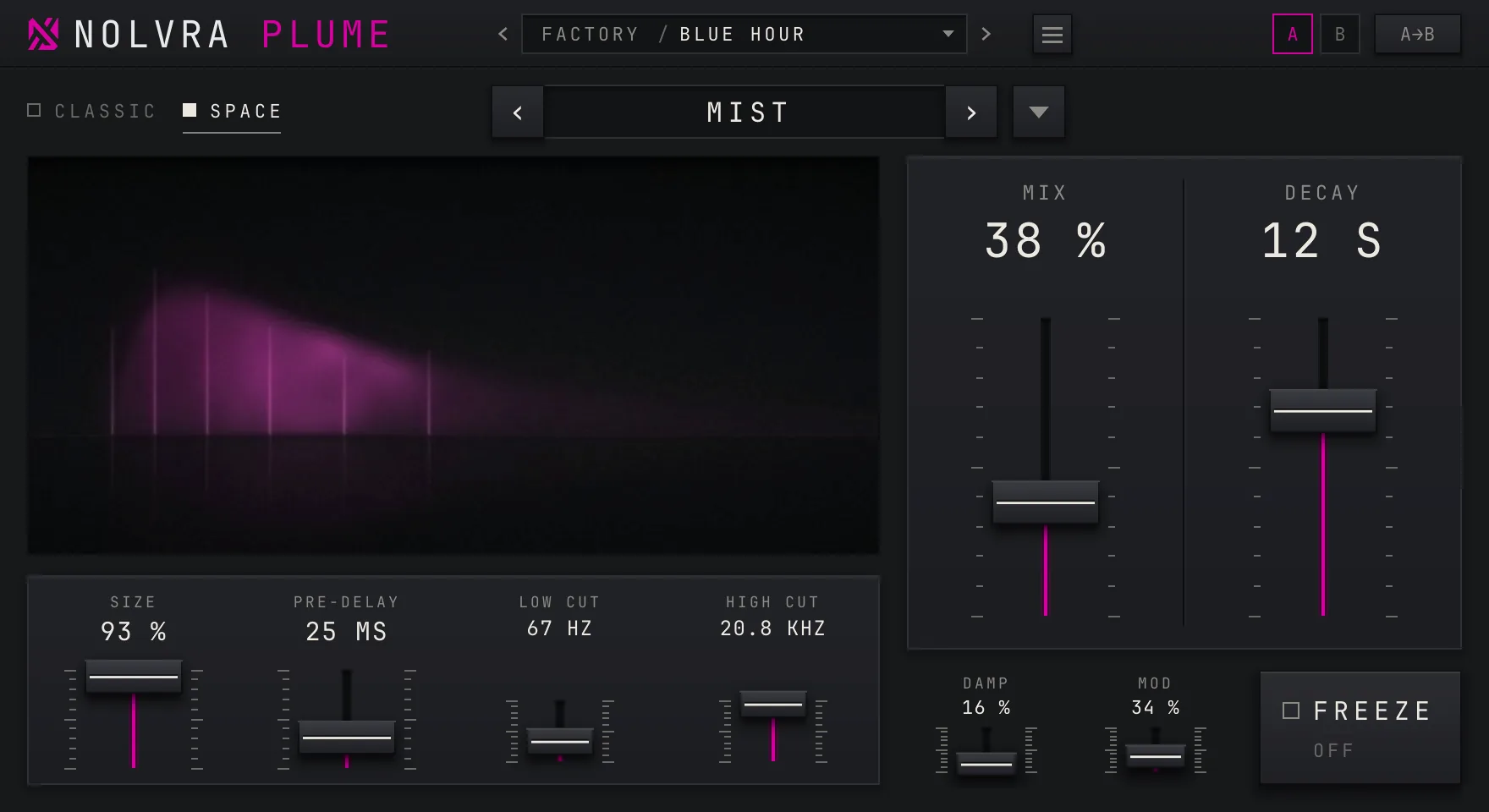
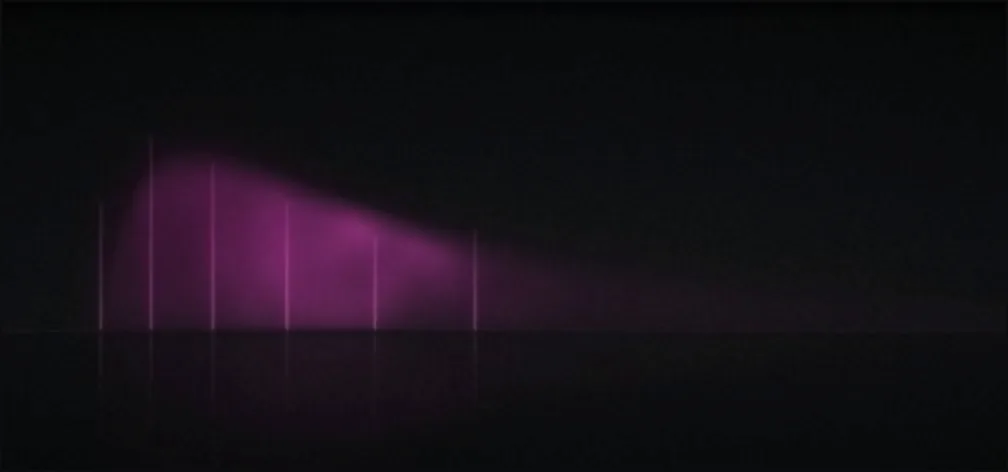
The large window on the left is not decoration. It draws the tail you are setting: DECAY sets its length, SIZE its height, and PRE-DELAY the dark gap in front of it. When the window and your ears disagree about what a control does, the window is reading the same parameters the sound is.
Your first pass
Install it, then open either door
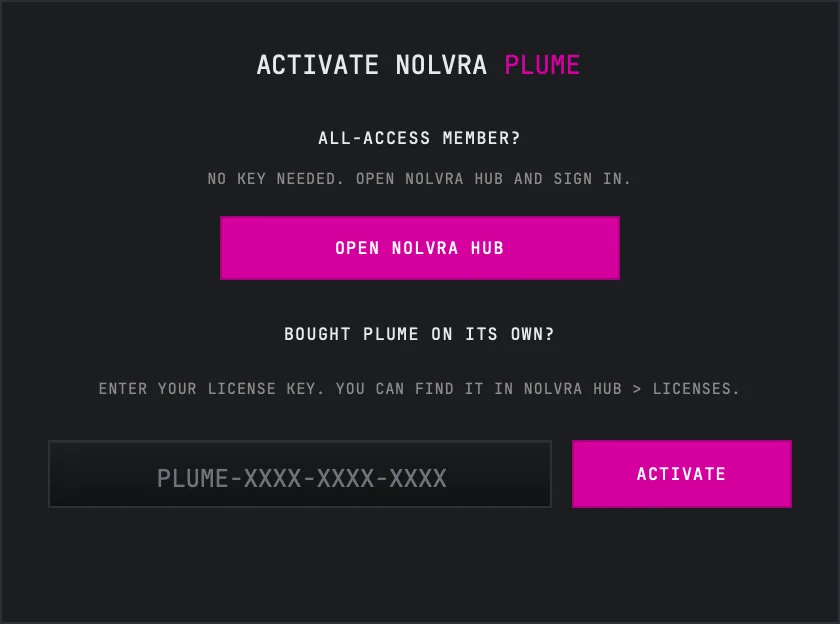
The Nolvra Hub installs PLUME and keeps it updated. On macOS everything lands in your home folder rather than the system one, so no admin password is asked for: the VST3 into ~/Library/Audio/Plug-Ins/VST3 and the Audio Unit into ~/Library/Audio/Plug-Ins/Components. On Windows the VST3 goes into C:\Program Files\Common Files\VST3. Rescan plugins in your DAW afterwards if PLUME does not appear on its own. Two things unlock it and either one is enough on its own. An active All-Access membership on the account you are signed into in the Hub needs no key. A PLUME license key, which reads PLUME-XXXX-XXXX-XXXX, goes into the plugin's activation panel, and that path never touches the Hub: if you bought PLUME on its own, on nolvra.com or from a reseller, type the key, press ACTIVATE while you are online, and you are done. A key covers two machines. The 7-day trial opens PLUME with no card. You start it in the Hub or on the ALL-ACCESS tab of your account page on nolvra.com, and while it runs PLUME opens on the signed-in machine the way a membership opens it, with no key and no separate activation step. It covers the plugins in All-Access and not the sample packs, and it does not renew. When it ends, PLUME locks and says "Your PLUME trial has ended."
Put it on a send, or mind the MIX
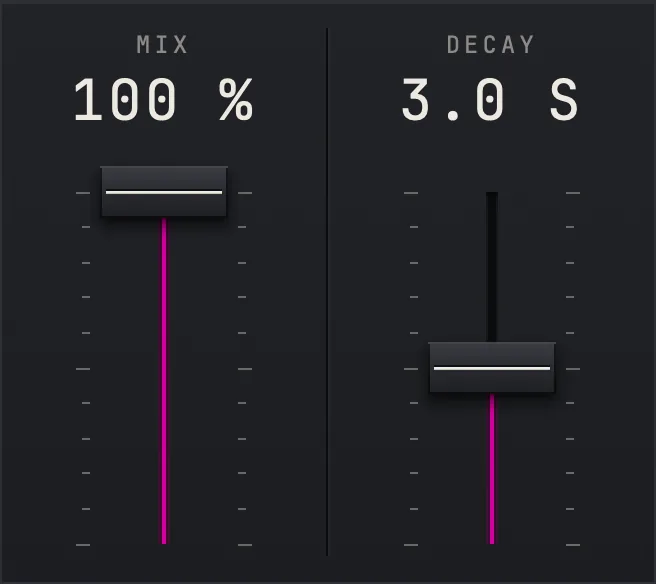
PLUME opens on Init, and Init's MIX is 100 %: everything that leaves the plugin is reverb. That is what you want on an effect return, where your host keeps the dry signal. On an insert, on the track itself, bring MIX down until the dry sound comes back, or start from a preset, which brings its own MIX.
Set the length with DECAY
The two tall faders on the right are MIX and DECAY. DECAY runs from 0.2 seconds to 70 seconds and opens at 3.0 seconds. In the window the tail grows longer to the right as you raise it.
Pick a family, then a mode
CLASSIC and SPACE at the top left choose the family. The mode field beside them shows the mode, and its two arrows step through the modes of that family only: in CLASSIC they walk the nine pairs of mode and era, in SPACE the four settings from STONE to VOID · SPARSE. The triangle at the right of the field opens the whole list. In CLASSIC the name carries the era as well, for example PLATE · CRISP, which is where Init starts. The modes have their own article.
Shape the space under the window
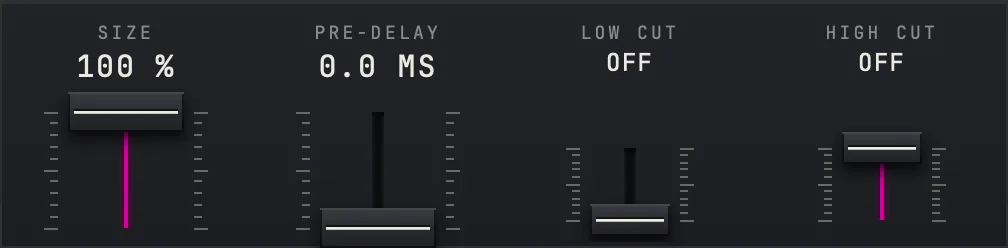
The lower panel holds SIZE, PRE-DELAY, LOW CUT and HIGH CUT. SIZE runs from 0 to 100 %, PRE-DELAY from 0 to 2000 ms. LOW CUT trims the low end of the reverb from 20 Hz up to 1 kHz and reads OFF at the bottom of its travel; HIGH CUT trims the top from 24 kHz down to 1 kHz and reads OFF at the top. Both act on the reverb only, never on the dry signal.
Colour the tail with DAMP and MOD
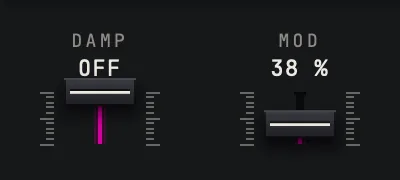
The two small faders beside FREEZE change with the family. In CLASSIC, DAMP is a high shelf inside the tail, from OFF down to -24 dB, and MOD is the depth of the tail's movement in percent. In SPACE both run from 0 to 100 %.


What the window shows
The window draws the reverb tail as a veil that rises from the left and falls away to the right. Its length follows DECAY, its height follows SIZE, and PRE-DELAY opens a dark gap before it starts. Its brightness follows how much reverb is actually coming out, so a silent track draws a faint veil and a loud one a bright veil.
If the moving picture costs too much on an older machine, or you simply prefer it still, REDUCE MOTION in the settings menu draws it as still frames instead. The sound does not change.
The top strip and the settings menu
The top strip carries the preset bar, the settings menu behind the three lines, and the A and B slots. The preset bar walks the factory presets with its two arrows and opens the preset browser from the name; presets have their own article. A and B are two whole settings, you switch between them by clicking the letter, and the cell beside them copies the one you are on into the other. Both slots are saved with your project.
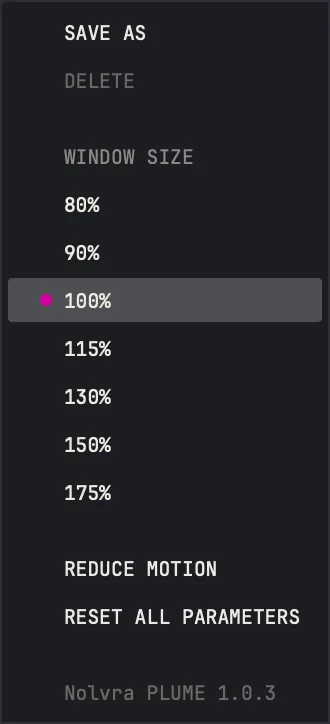
The settings menu holds WINDOW SIZE from 80 % to 175 %, REDUCE MOTION, RESET ALL PARAMETERS, and the version line. The corner handle at the bottom right resizes the window freely between 80 % and 200 % with its shape fixed. The size is kept with the project and remembered for the next new copy on that machine.

Things people look for on the first day
- Double click a fader and type a value. Units are understood: %, ms, s, Hz, kHz, dB and off. A bare number on DECAY is seconds and on PRE-DELAY milliseconds.
- Alt and click puts a fader back to its default. Shift while dragging moves it in fine steps.
- PLUME reports its latency to your host. In CLASSIC it is none at every sample rate. In SPACE it is none at 44.1 and 48 kHz, 32 samples at 88.2 and 96 kHz, and 96 samples at 176.4 and 192 kHz.
- In VOID the DECAY fader dims. That is not a fault: DECAY has no effect in that mode.
- FREEZE works in PLATE, STONE and MIST. In the other three modes it is greyed out and reads N/A.
- Your host's automation list shows a few parameters the face does not draw. The face is the instrument; you can leave those alone.
What ships
- ItemPLUME 1.0.3
- ModesCLASSIC: PLATE, SILK and CHAMBER, each in WARM, CRISP or CLEAN. SPACE: STONE, MIST and VOID
- Decay0.2 to 70 s, opens at 3.0 s
- Size, Mix0 to 100 %, both open at 100 %
- Pre-delay0 to 2000 ms
- Low Cut, High Cutoff or 20 Hz to 1 kHz, 1 to 24 kHz or off
- FreezePLATE, STONE and MIST
- Presets211 factory presets in 12 folders, plus your own
- CompareA and B, saved with the project
- Window80 to 200 %, remembered
- Latencynone in CLASSIC, none in SPACE up to 48 kHz
- FormatsVST3 and AU on macOS 11 or later, VST3 on Windows, 64-bit
- Activationa PLUME license key on 2 machines, or All-Access through the Hub
- Trial7 days, no card
Still stuck?
Nothing here matching? Write to a person.