PLUME presets, your own presets and A/B
How the 211 factory presets are organised and level matched, how to save, import and move your own presets, and what A/B and the window keep in a project.
Where a sound lives
A PLUME setting can live in three places. The factory bank holds 211 presets that come with the plugin. Your own presets are small files on your computer that you save, import and copy. And your host's project keeps whatever is on the face when you save the song, including both A and B, so a mix reopens exactly as you left it whether or not you ever named the setting.

The factory bank
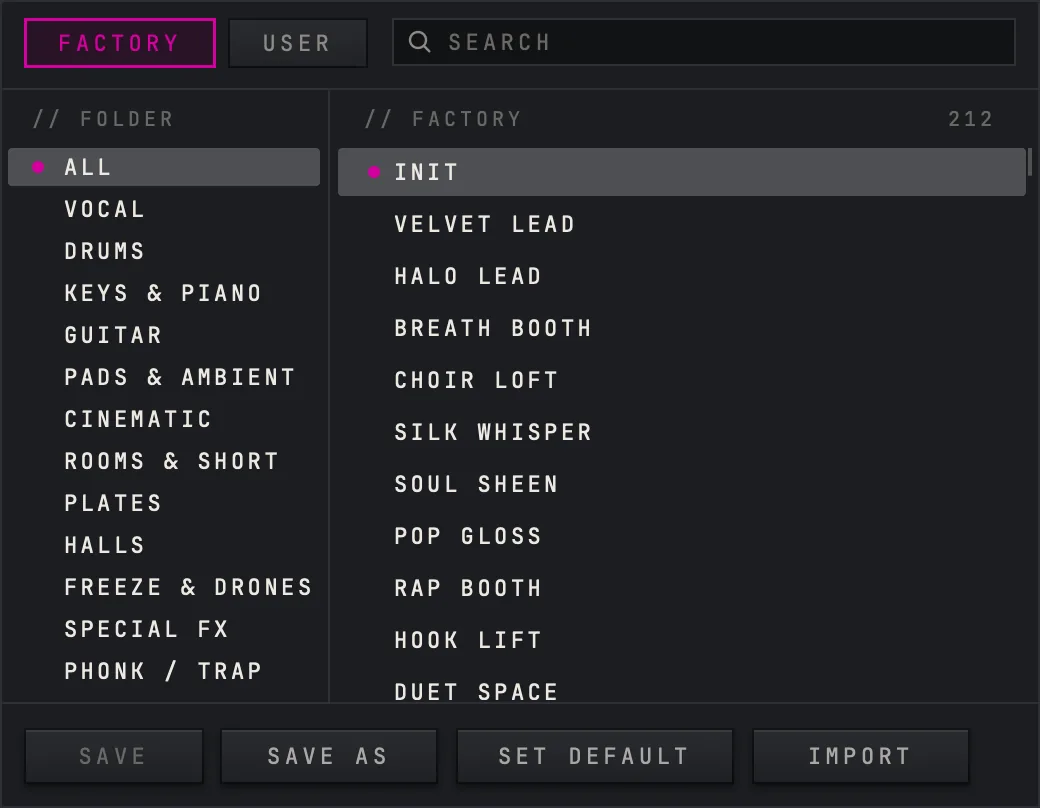
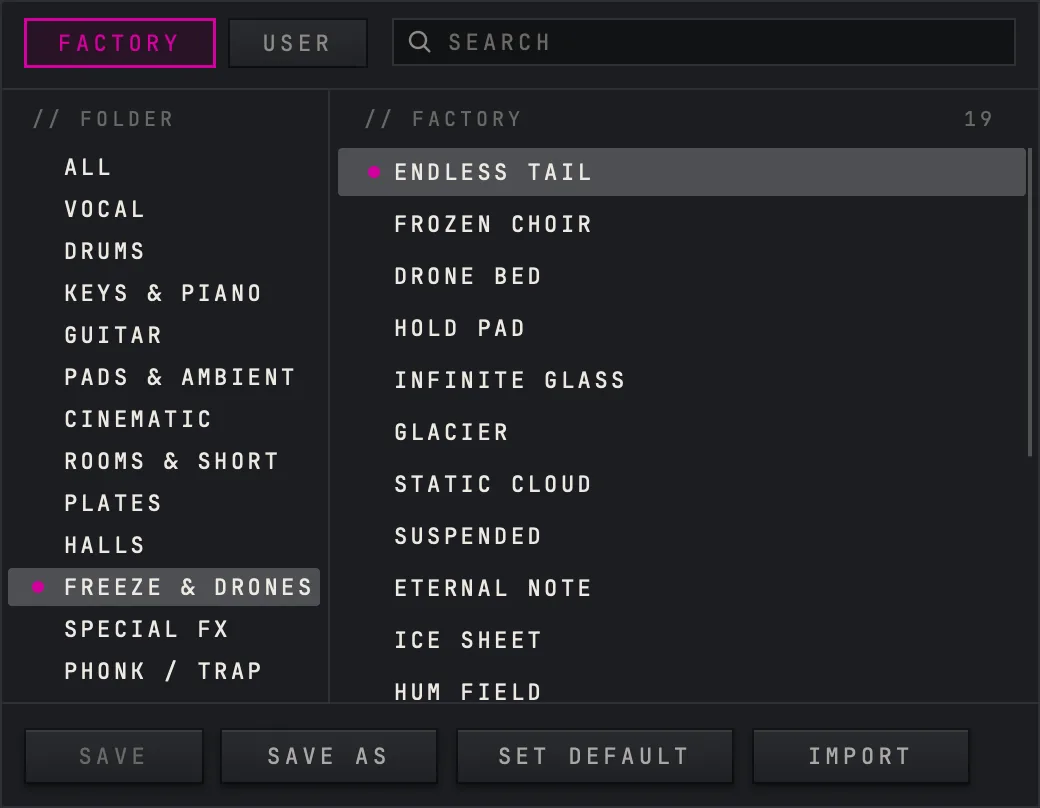
There are 211 factory presets in 12 folders, plus Init, so ALL in the browser counts 212: Vocal (18), Drums (18), Keys & Piano (18), Guitar (18), Pads & Ambient (17), Cinematic (17), Rooms & Short (17), Plates (18), Halls (16), Freeze & Drones (19), Special FX (18) and Phonk / Trap (17).
Every preset was level matched before it shipped: on pink noise, at its own MIX, its output sits within 1 dB of what came in. Stepping through the bank therefore compares sounds rather than volumes. The bank was also checked for duplicates, so no two presets are closer than one audible step apart.
The arrows on the preset bar step through the bank, and clicking the name opens the browser. Once you change anything, a small pink square appears after the name: the face no longer matches the preset you loaded.
Saving your own preset
Save it under a name
Open the browser and press SAVE AS, or choose SAVE AS in the settings menu behind the three lines. Type a name and press Enter. The preset is written to your user folder and appears on the USER tab, and the preset bar reads USER followed by its name.
Overwrite it later
While one of your own presets is loaded, SAVE writes the face back into it. On a factory preset SAVE asks for a name instead, because the factory bank cannot be overwritten.
Delete it
Right click its row on the USER tab, or load it and choose DELETE in the settings menu. DELETE is dim on a factory preset.
Import one
IMPORT opens a file dialog for a PLUME preset file, which ends in .xml. PLUME copies the file into your user folder and loads it.


Where your presets are kept
Your own presets are ordinary files, one .xml file per preset, in a presets folder inside PLUME's settings folder. That folder still carries the plugin's internal working name, VERB2.
On a Mac: ~/Library/Application Support/Nolvra/VERB2/presets
On Windows: %APPDATA%\Nolvra\VERB2\presets
To take your presets to another computer, copy that folder across, or copy single files and bring them in with IMPORT. To back them up, back up that folder.
A and B
A and B at the top right are two complete settings. Click a letter to switch to it. The cell beside them copies the slot you are on into the other one: it reads A→B while A is lit and B→A while B is lit. Both slots are saved with your project, together with which one was active, so a comparison you set up survives closing the song.

What the project keeps
When your host saves the project, PLUME stores every parameter, the name of the factory preset or your own preset that was loaded, both A and B slots, and the window size. A factory preset is found again by its name.
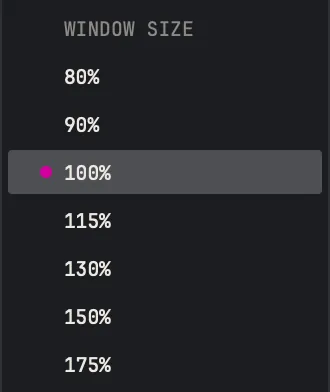
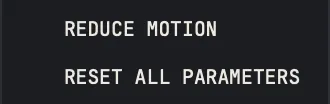
RESET ALL PARAMETERS in the settings menu loads Init: PLATE · CRISP, SIZE 100 %, DECAY 3.0 seconds and MIX 100 %. The window keeps its size: WINDOW SIZE in the same menu has steps from 80 % to 175 %, and the corner handle resizes freely from 80 % to 200 %. The size you choose is kept with the project and remembered for the next new copy on that machine.
Questions this page answers
- Can I save my own presets? Yes: SAVE AS in the browser or in the settings menu.
- Where are they? In ~/Library/Application Support/Nolvra/VERB2/presets on a Mac and %APPDATA%\Nolvra\VERB2\presets on Windows.
- Presets do not jump in level as I step through them. That is deliberate: each one sits within 1 dB of its input at its own MIX.
- The pink square after the preset name means the face has changed since the preset was loaded.
- A and B are saved with the project.
- The preset bar reads CUSTOM. The setting came from somewhere other than a preset, for example an older project.
Still stuck?
Nothing here matching? Write to a person.