Miles usage limits, troubleshooting and questions
The beta's usage limits, what to do when Miles will not connect, sign in or see the right window, and the questions we hear most.
Start here
Most problems with Miles show up in one place first: the status line at the top of the panel. Read it before anything else; it names the problem in a few words, and the list below says what to do about each one. If nothing here helps, write to miles@nolvra.com.
Usage limits
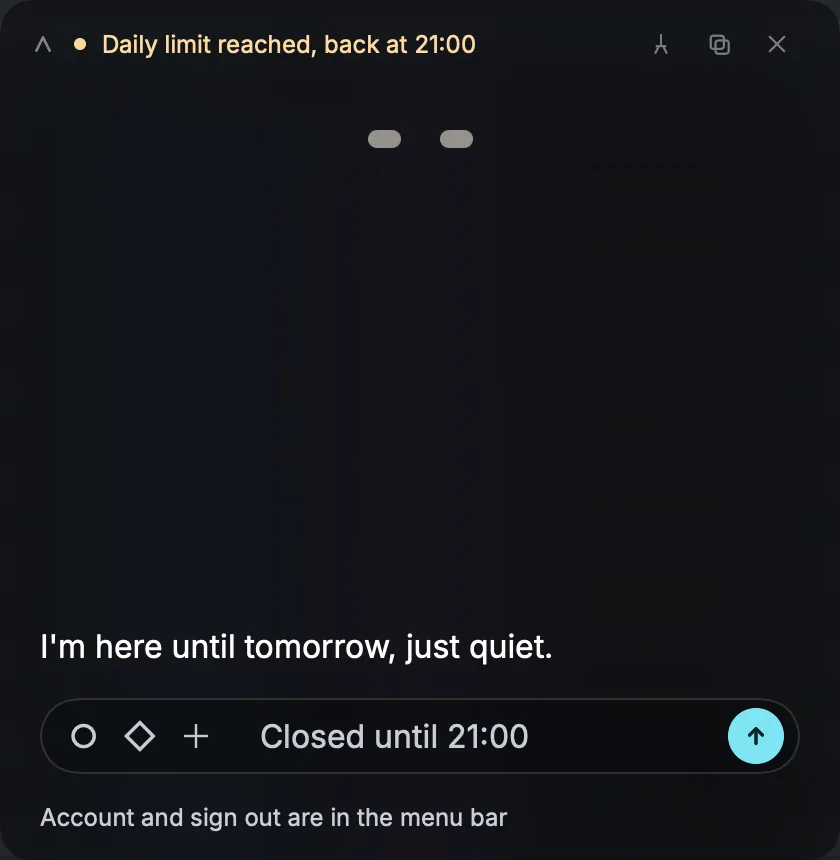
Miles is in beta and has two usage limits: a daily message limit (resets at 00:00 UTC) and a monthly usage cap. A message Miles turns away does not count against either.
When the daily limit is reached, the status line reads Daily limit reached, back at a time on your own clock, and the field reads Closed until that time. When the monthly cap is reached, Miles says it is resting for the rest of the month and names the day it is back, the first of the next month.
Pictures of your DAW window have a daily limit of their own: once it is reached, your message still goes through without the picture, and Miles tells you so.
When something is wrong
Ableton Live is not connected
The bridge is not installed yet. Click the status line and Miles installs it, then pick NolvraMILES under Settings, Link/MIDI in Live. The guide on connecting Miles to your DAW has every step.
Ableton Live is not sending
The bridge is installed but Live is quiet. Open Live, and check that NolvraMILES is still selected as a Control Surface under Link/MIDI. If Miles has just updated its bridge, the line says so: select NolvraMILES again.
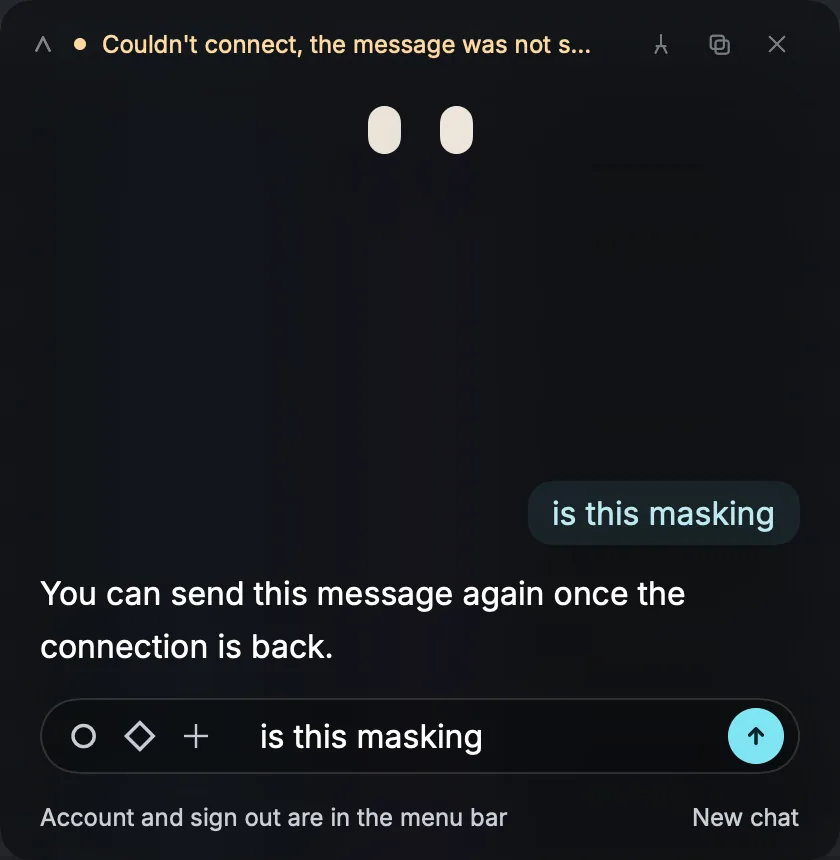
Couldn't connect, the message was not sent
Miles could not reach its server. Check your internet connection. Your message is back in the field, attachments included, so send it again when the connection returns; the status line clears by itself. If nothing at all arrives for 20 seconds while Miles is answering, it stops waiting and says Connection lost, and again your message goes back into the field.
The login code does not arrive
It can take up to a minute. It comes from Nolvra Miles; check your spam or junk folder, and check the address you typed. Then press Send a new code, or Use a different email. More than three requests in fifteen minutes are refused for a while: wait a few minutes and request one more. A code works once and expires after 10 minutes, and five wrong tries lock it, so always type the code from the newest email.
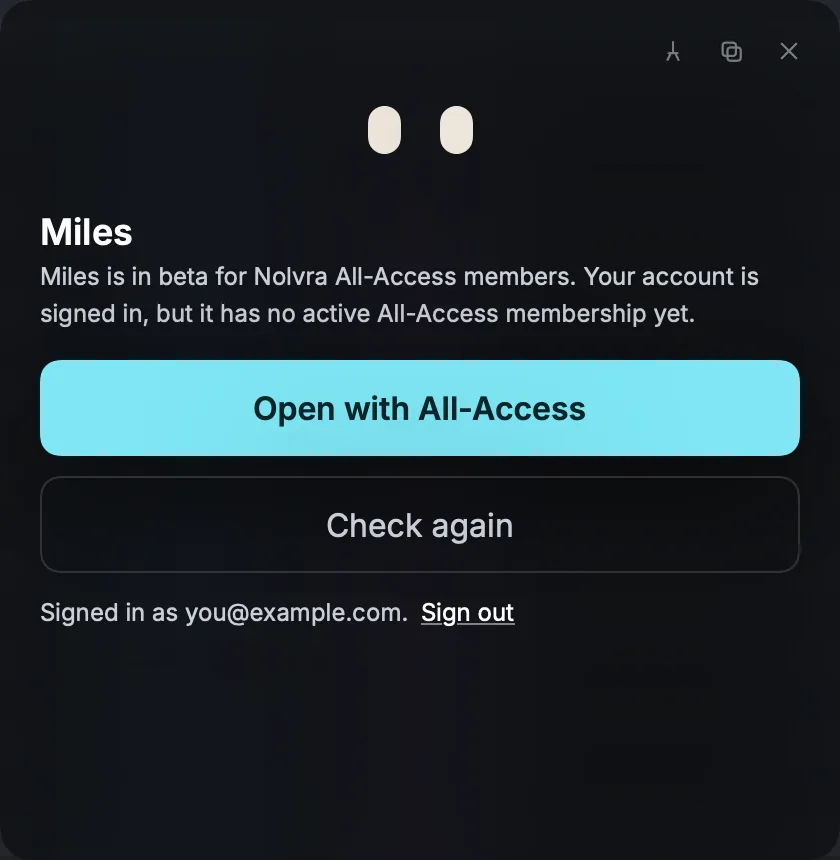
Miles says it is for All-Access members
Your account is signed in but has no active All-Access membership. Press Open with All-Access to start one, a trial included, then come back and press Check again. You stay signed in the whole time.
The eye sees the wrong window
Right-click the eye and pick Choose window, then the window you mean; Miles keeps watching that one until you choose Follow the active DAW window. On Windows, close the DAW window you do not want watched, and if Live is minimised, bring it back. The plus button always captures the plugin window in front if one is open, and Live's main window when none is.
The eye is paused
On a Mac this means Screen Recording is off for Miles. Open System Settings, Privacy and Security, Screen Recording, and turn on Nolvra MILES. The eye comes back by itself.
The ear hears nothing
Play something: Miles listens only while Live's audio engine runs. If it still hears nothing, turn the ear off and on again. On Windows, an ASIO audio interface cannot be heard; switch Live to WASAPI.
Still stuck
Write to miles@nolvra.com. Say which computer and system version you are on, your Live version, the Miles version from Settings, About, and what the status line says. A screenshot of the panel helps.
Questions
Does Miles work with other DAWs?
Ableton Live today; more DAWs are on the way.
Does Miles change anything in my set?
No. The bridge into Live is read only. Miles tells you what to try and your hands make the change.
Does my audio leave my computer?
No. What the ear hears and the files you drop are measured on your computer, and only the readings go with your question.
What does the eye send?
One still picture of your DAW window, when the eye is on and your question needs it. Never video, and never anything outside that window.
Do I need All-Access?
Yes. Miles answers for accounts with an active All-Access membership, and a trial counts. Without All-Access, the MILES tab still opens but the page is locked; Subscribe to install.
Does Miles run on an Intel Mac?
No. On a Mac it needs Apple Silicon and macOS 26.5 or later. On Windows it needs Windows 11 21H2 or later on a 64-bit x64 PC.
Which versions of Ableton Live does it work with?
Live 11 and Live 12.
Does the Hub have to stay open?
No. Miles keeps its own sign-in, for about 30 days at a time.
Does Miles keep my conversations?
Your history stays on your computer, separately for each account. Miles's server keeps no conversations; New chat clears the one you have.
What language does Miles answer in?
The one you write in. The buttons and menus are in English.
Where do I get help with Miles?
Write to miles@nolvra.com.
Still stuck?
Nothing here matching? Write to a person.