Support / Installation & activation
Installing with the Nolvra Hub
The Hub is the shortest path from purchase to a plugin in your DAW: sign in, install, rescan.
What the Hub does
The Nolvra Hub is a free desktop app for macOS and Windows that holds your account, your licenses, your downloads and your installs in one place. It is the easiest way to get a Nolvra plugin onto a machine.
Installing a product
Download and open the Hub
Get it from the Hub page on nolvra.com, in the build for your platform. The macOS version needs macOS 14 or later and an Apple Silicon Mac. The Windows version is a 64-bit app.
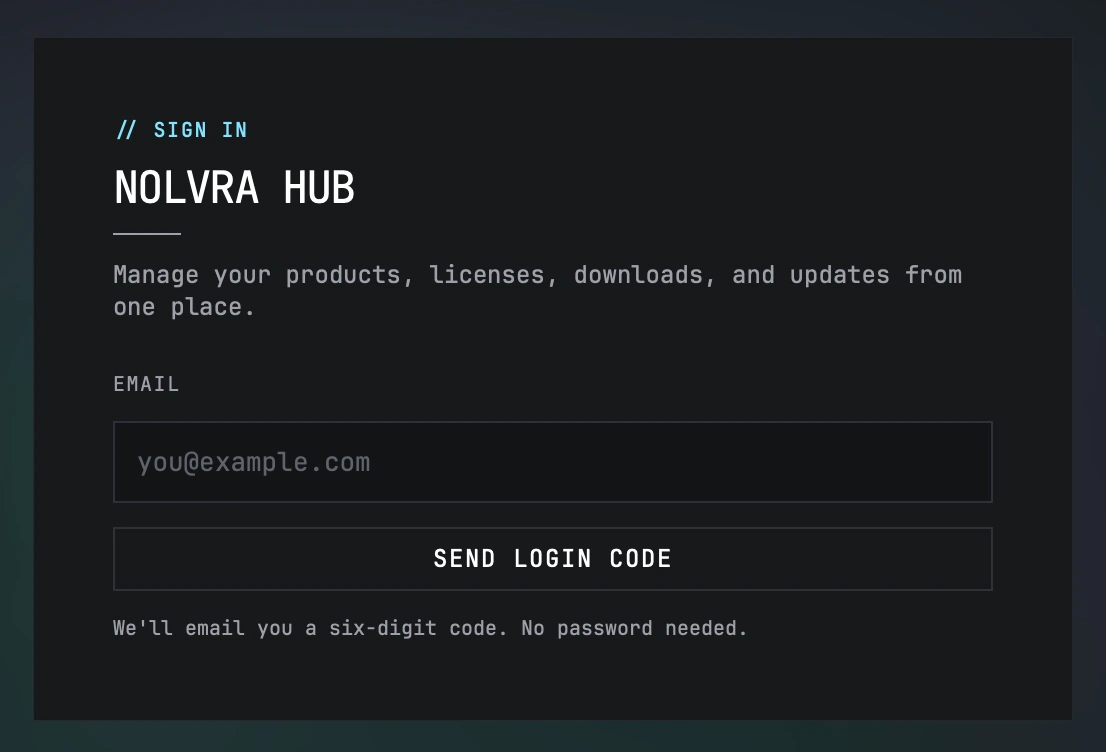
Sign in
The Hub signs you in with a one-time code sent to your email. There are no passwords. Use the same email address you bought with; that is what your licenses are tied to.
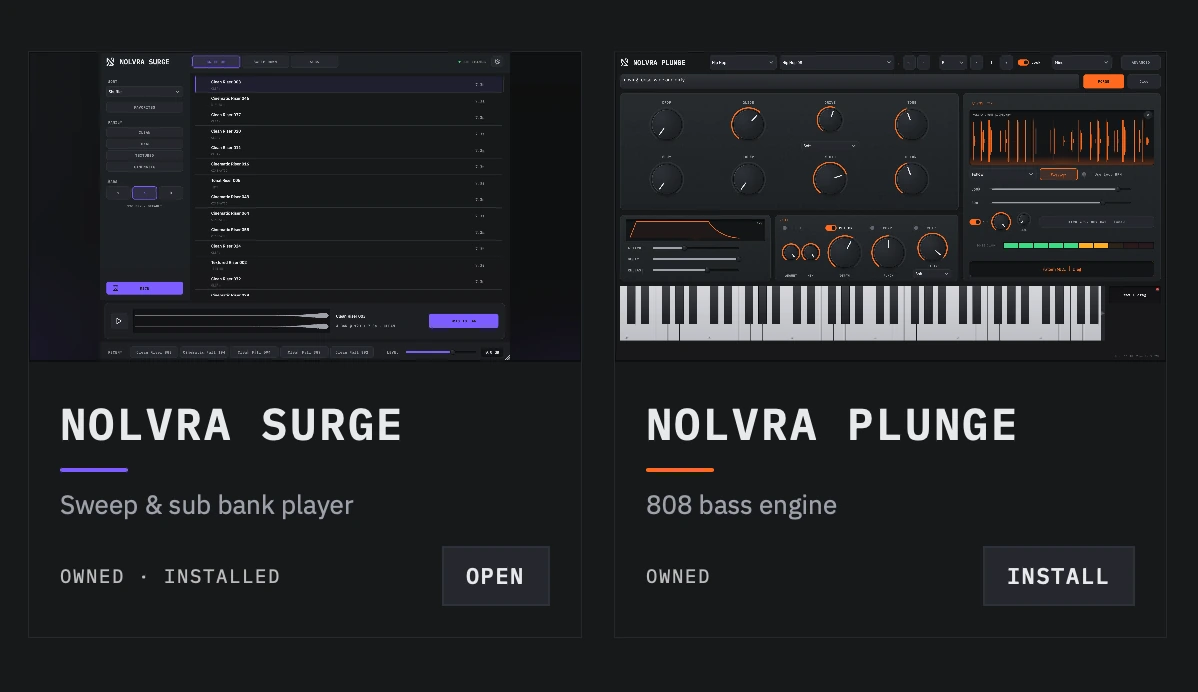
Find the product under My Products
Everything your account owns appears there, with its current state: available to install, installed, or an update waiting.
Install
Hit Install. The Hub downloads the product, runs the installer and puts each format in the right folder.
Rescan in your DAW
Your DAW caches its plugin list. Rescan: in most hosts that is a button in the plugin manager, and in some it just means restarting. The plugin then appears like any other.
Where plugins are installed on macOS
- VST3~/Library/Audio/Plug-Ins/VST3
- Audio Unit~/Library/Audio/Plug-Ins/Components
- Standalone~/Applications, where a product ships one
Installing without an admin password
Nolvra's macOS installers put plugins in your home Library rather than the system-wide one, and a standalone app in your home Applications folder rather than the system one. That means no admin password, and it means a plugin installed for you is not installed for another user account on the same Mac.
If you have an older copy of a Nolvra plugin in the system-wide /Library/Audio/Plug-Ins, your DAW may load that one instead. The Hub sees both locations and reports what it finds.
On Windows
The Hub runs on Windows and the steps above are the same steps. What differs is the format and the folder: Windows has VST3 and no AU, and installers place the VST3 in C:\Program Files\Common Files\VST3 rather than a per-user Library. A standalone app is a macOS build only, so the Windows package for a product that ships one carries the VST3 alone. The article on installing on Windows covers the platform end to end.
Updates
The Hub shows an update when a newer version of something you own is published, and installs it in place. Nothing is downloaded silently: an update happens when you click it.

The Hub does not need to stay open
Open it when you want to install, update, or manage licenses. It does not need to run in the background for your plugins to work.
There is no license key for PRISM MINI and RELIC: the plugin checks for a signed-in Hub session instead. You still do not need the Hub running, but you do need to have signed in on that machine.
First launch downloads
Some products fetch something on first use rather than shipping it in the installer: SURGE downloads its sound bank, and RAW downloads its de-reverb model when you press DOWNLOAD MODEL. Both are one-time, both are verified after download, and both are cached locally afterwards. See the article on first-launch downloads for detail.
Still stuck?
Nothing here matching? Write to a person.